
unpacman
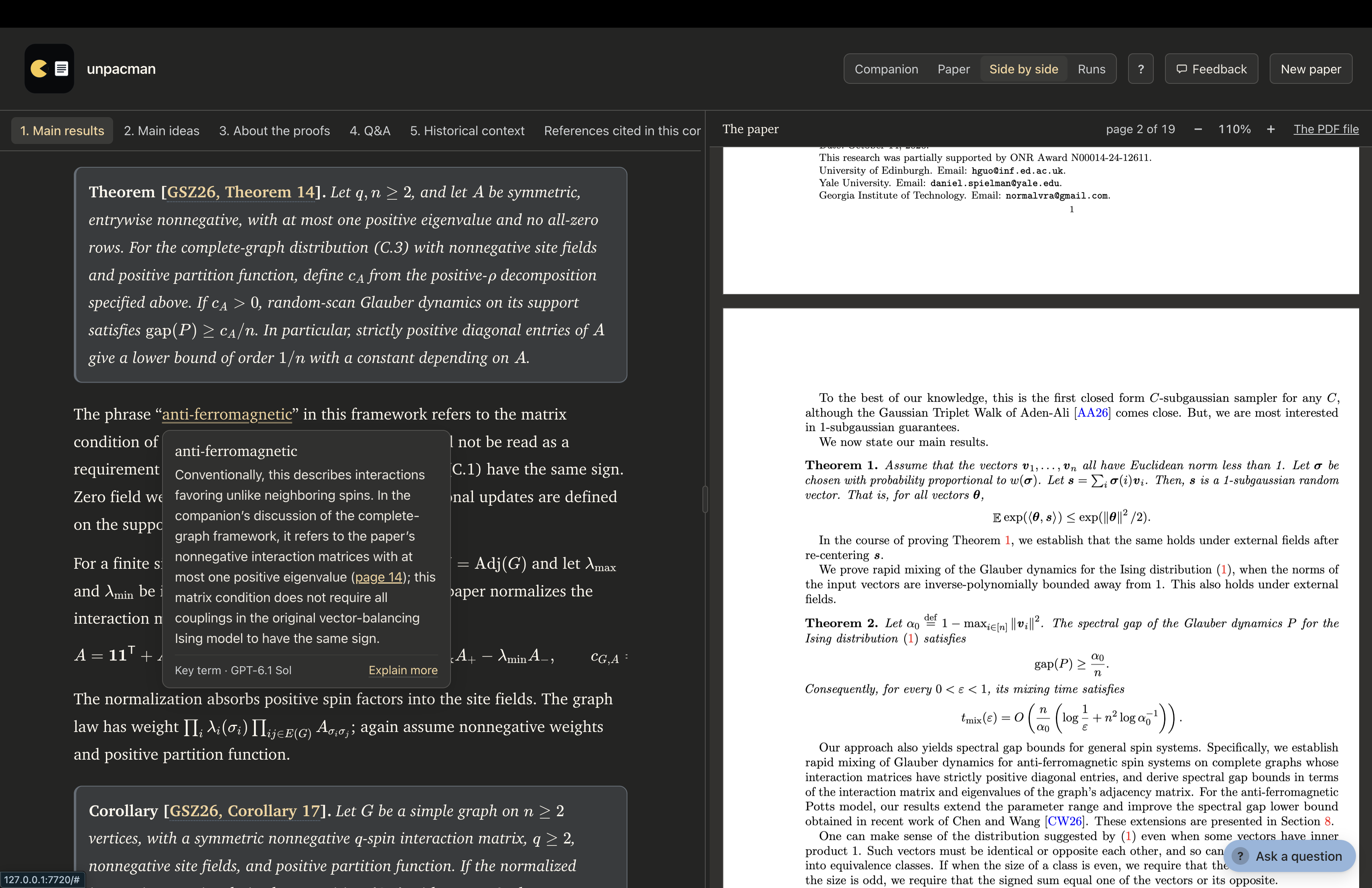
unpacman's purpose is to help dealing with the increasingly vast mathematical literature, in a way that tries to prioritise human understanding. unpacman is an interface for asking questions about math papers and for generating structured summaries which address the standard questions that mathematicians would usually ask when reading a manuscript for the first time (main results, main ideas, the "why's", the "how's", historical context, etc.).
unpacman includes:
- a multi-agent harness which takes in one or multiple PDFs and returns a structured summary according to the criteria above. This harness can operate in expert mode and in non-expert mode, yielding two different levels of technical details. Each piece of the harness can be inspected and modified.
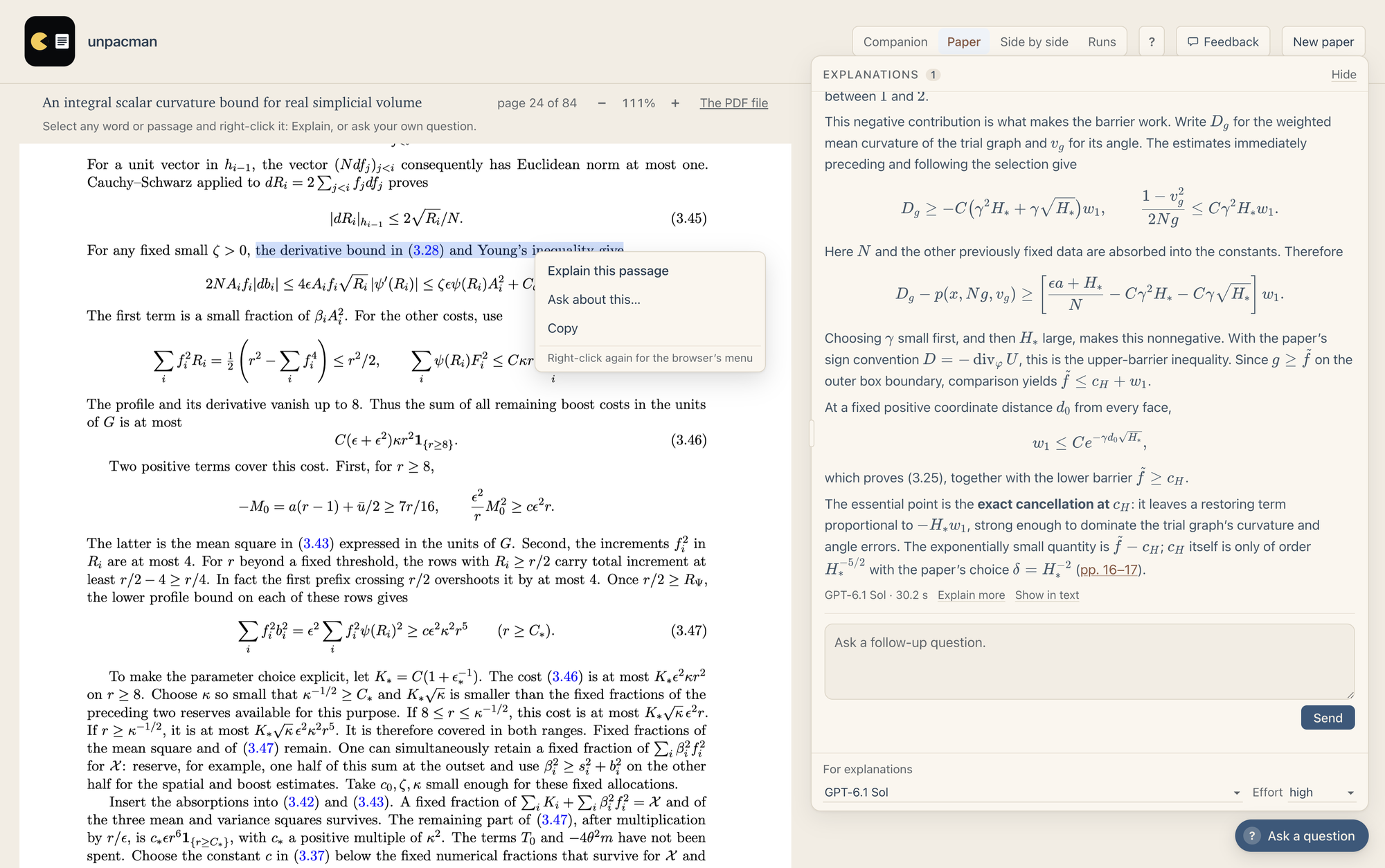
- a feature for asking further questions about the original PDF or the generated summary. This can be done by highlighting excerpt which are unclear.
- a feature for literature search.
Each feature in the harness can be simply reproduced using an out-of-the-box LLM with some prompt engineering; the point of unpacman is to give a common home to all functionalities that a mathematician would find useful. We made the interface as user-friendly as possible, and structured the harness so that it can be fully customizable by clicking on "Advanced settings". It offers various reader-friendly features depending on the user’s request, and its internal skill files are completely customisable. It can run with Codex, Claude Code, DeepSeek and any model available through OpenRouter.
We emphasize that unpacman is not a substitute for reading papers, but a tool that helps you focus on the ideas that matter.
unpacman in use
Setting it up
On a Mac
The quickest and most effective way is one line in Terminal, which
downloads unpacman directly from its GitHub repository. Open Terminal (press
⌘ Space, type Terminal, press Return), paste this line, and press Return:
/bin/bash -c "$(curl -fsSL https://raw.githubusercontent.com/Tancredi-Schettini-Gherardini/unpacman/mac/install-unpacman.sh)" It is a single line: one click selects all of it, ready to copy.
For a more traditional installation, download the zip file and follow these steps:
- Download unpacman-mac.zip and open it, so that the folder
unpacman-macis in Downloads. - Open Terminal, type this line, and press Return:
bash ~/Downloads/unpacman-mac/ install-unpacman.sh
Either way, when it says Done, unpacman opens in your browser: install the AI you have a plan for and sign in to it, then LaTeX; one click each.
On Windows
- Download unpacman-windows.zip and unzip it: right-click it, choose Extract All…
- Double-click Install unpacman.cmd in the extracted folder from your usual Windows account. Setup installs WSL and Ubuntu if needed and asks separately for Windows administrator approval.
- If setup requests a restart, save your work and type RESTART in its window; this also applies pending Windows updates. After restarting, open Install unpacman.cmd again to continue.
On Linux
Ubuntu, Debian, Mint, Pop!_OS, Fedora, Arch or openSUSE: open a terminal, paste this line, and press Enter:
bash -c "$(curl -fsSL https://raw.githubusercontent.com/Tancredi-Schettini-Gherardini/unpacman/linux/install-unpacman-linux.sh 2>/dev/null || wget -qO- https://raw.githubusercontent.com/Tancredi-Schettini-Gherardini/unpacman/linux/install-unpacman-linux.sh)" It is a single line: one click selects all of it, ready to copy.
It asks for your password once, to install a few standard programs with your package manager, then puts Unpacman in your applications menu and opens it in your browser: install the AI you have a plan for and sign in to it, then LaTeX; one click each.
On Ubuntu 24.04 or later, the Protection step shows one more line to type: it lets unpacman make the sandbox each reading runs in. On Ubuntu 22.04, read with Claude for now: ChatGPT's sandbox does not start there yet.
Each zip's READ ME FIRST.txt (Mac and Windows) says all of this in more detail.
Updates
When a new version is ready, unpacman says so on its first page: press Update now. Your papers and readings are kept.
More
The code is on GitHub. Questions and ideas: Feedback, at the top of unpacman, or unpacman.support@gmail.com.